This is a Google Smart Home in 2024
- Technology Paul
- Sep 9, 2024
- 7 min read

The Available Products and Features Of The Google Smart Home Ecosystem

Let’s take a look at the Google Smarthome ecosystem together. And what better way to do so than to take a look into the tech running my own house? Google may have the most robust and well-supported smart home ecosystem in the world. It’s only rivaled by other tech giants like Amazon and Apple. But I would say arguably Google is at the top. After all, I’m a huge Apple fan, but I choose Google devices to run my smart home because the products available are more functional, affordable, and interoperable.
I find that you do have to make a choice about which ecosystem you want to go with before you start buying too many smart home products. Trying to use devices or services from Google, Amazon, and Apple all together can cause a pretty disjointed experience and your home won’t be that “smart” after all. For that reason, I’ve mostly moved in the direction of Google concerning the tech in my house.
Non-Google Smart Home Tech
I say I mostly went with Google, but the reality is it's still hard to control everything from one service. For example, in my house, I have Telus Smart Home Security. I’ve made a video on that service, which you should check out if you’re interested. I won’t go into detail about that here, but essentially, it provides me with professional security monitoring, enhanced by modern-day smart home features. For example, I can use the app to lock my front door, open or close my garage door, view the security camera over our garage, as well as arm or disarm the system. I could have done some of these things through Google but I also wanted to make sure I had the professional monitoring part of the security system.
I also have a couple of Wyze cameras around the house, which aren’t Google’s Nest cameras. Honestly, Wyze cams are just way cheaper which is why I went with them in my garage, as well as for my backyard.
But beyond that, I’m all in on Google. Here are the products and features I’m using.
Nest Doorbell
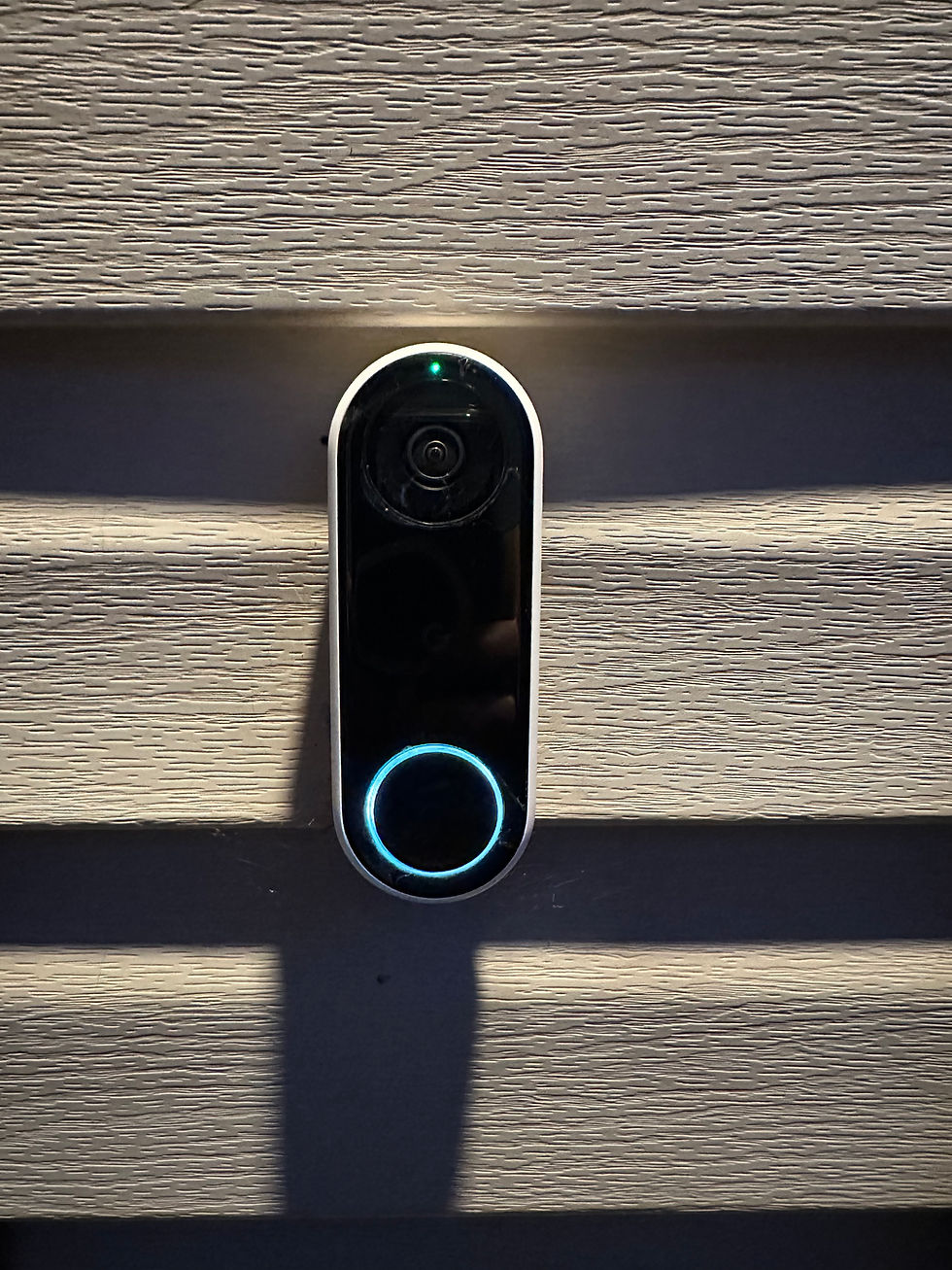
Let’s start outside the house. First off, I have a Nest Doorbell at my front door. This is technically the older generation. The new ones look a bit sleeker. But the idea is that you get a live video feed when someone rings the doorbell, and it will send a notification to your phone and you can view it through the Google Home app or your smart display.

It’s got two-way audio as well, meaning you can talk to whoever is at the door. That’s useful if you’re not home and a friend or family member comes by, or you can tell a delivery person that they can leave the package on the step.
With the optional Nest Aware service, you can get different types of alerts. For example, you have face detection, meaning it will tell you who is at the door if you have your contacts named in the app. Or it will tell you if a package was delivered or if a pet or animal is outside.
You can also set up detection zones so you don’t get random alerts for someone walking outside your house.
Nest Aware Subscription Service
Nest Aware, Google’s optional subscription for Google Home, comes in two versions. Nest Aware costs $10 a month and will give you 30 days of event video history, or you can opt for Nest Aware+ which is $20 a month but gives you 60 days of continuous video history.
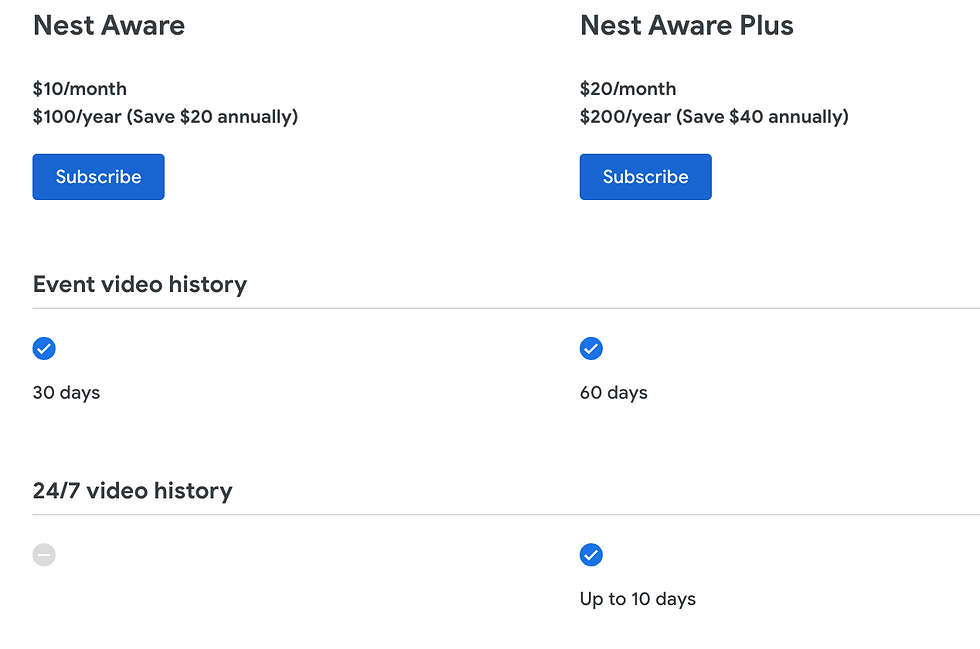
This one subscription covers all Nest Cameras you have, it’s not just for the doorbell. I’d say it’s likely worth it because the doorbells and cameras are fairly limited without the service.
Nest Hub Max

On the main floor, we’ve got a Nest Hub Max in our kitchen. I love this thing and use it every day. A lot of people have a smart speaker in the kitchen because they use it to set timers. And we do that too. But having a smart display allows you to do a lot more. I made a video about all of its capabilities a while back, so you should check that out if you are interested. But there are a few reasons I like having the Nest Hub Max.
First of all, the Nest Hub Max has a camera on it. This serves two main purposes. On the one hand, you can do video calls on it through Google Meet or Duo or whatever the service is called now. That’s nice, but not something I use very often.
It does serve as an additional Nest camera though, so when you’re not home you can check on your house. You can even set up person or motion detection just like you can with the doorbell cam.

The Max also gives you a pretty big screen at 10 inches. This thing is awesome for entertainment purposes. And yeah while I’m cooking I like to throw something on Netflix or YouTube. It’s a great way to catch up on your show while getting your chores done.

If someone comes and rings the Nest doorbell, well it pops up the preview right here and allows for two-way voice communication, just like you can do from your phone.

Plus, when dinner is ready, you can use the broadcast feature to call everyone to the table. Broadcast will send your voice message to every display and speaker in the house and is incredibly useful!

Nest Learning Thermostat
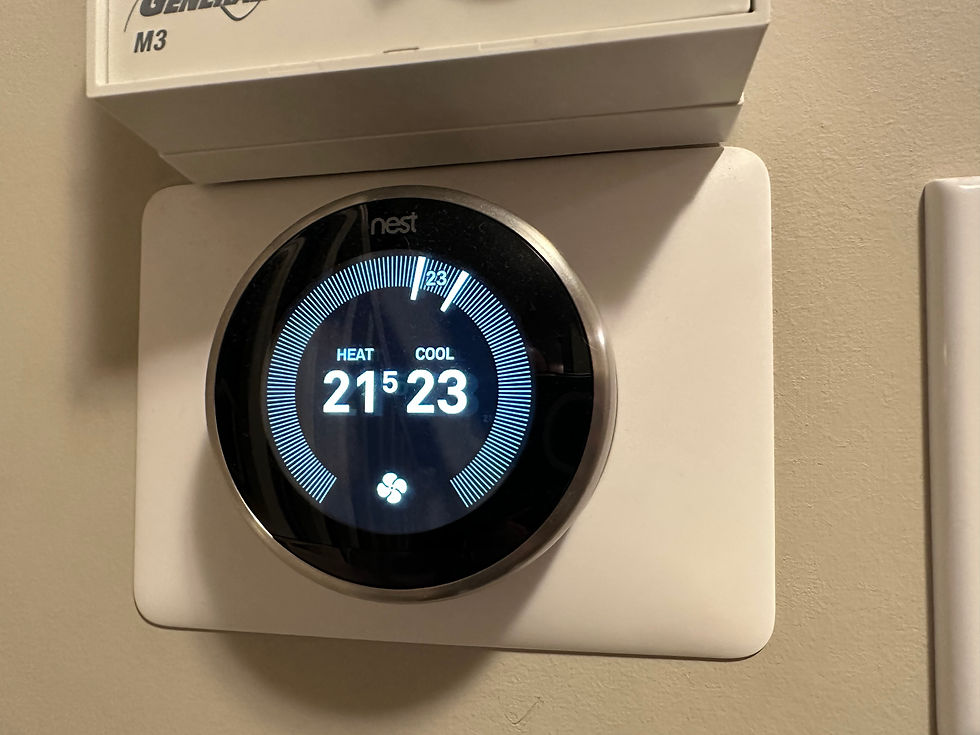
If you look over by the stairs I’ve got the 3rd generation Nest Learning Thermostat, which is the older model. Now, there are two versions you can buy on the Google Store. The 4th generation learning thermostat and the regular one. And let me just say right now I should have gotten the regular model which is cheaper. I don’t use the learning features at all. It’s supposed to be intelligently paying attention to your schedule, your coming and going, and designing a temperature schedule automatically. I never got good results with that so I just locked it into a schedule the same as most other thermostats can do.
The nice thing about the Nest thermostat is that you can adjust it from the Nest app, the Google Home app, or any display or speaker around the house.
Nest Protect

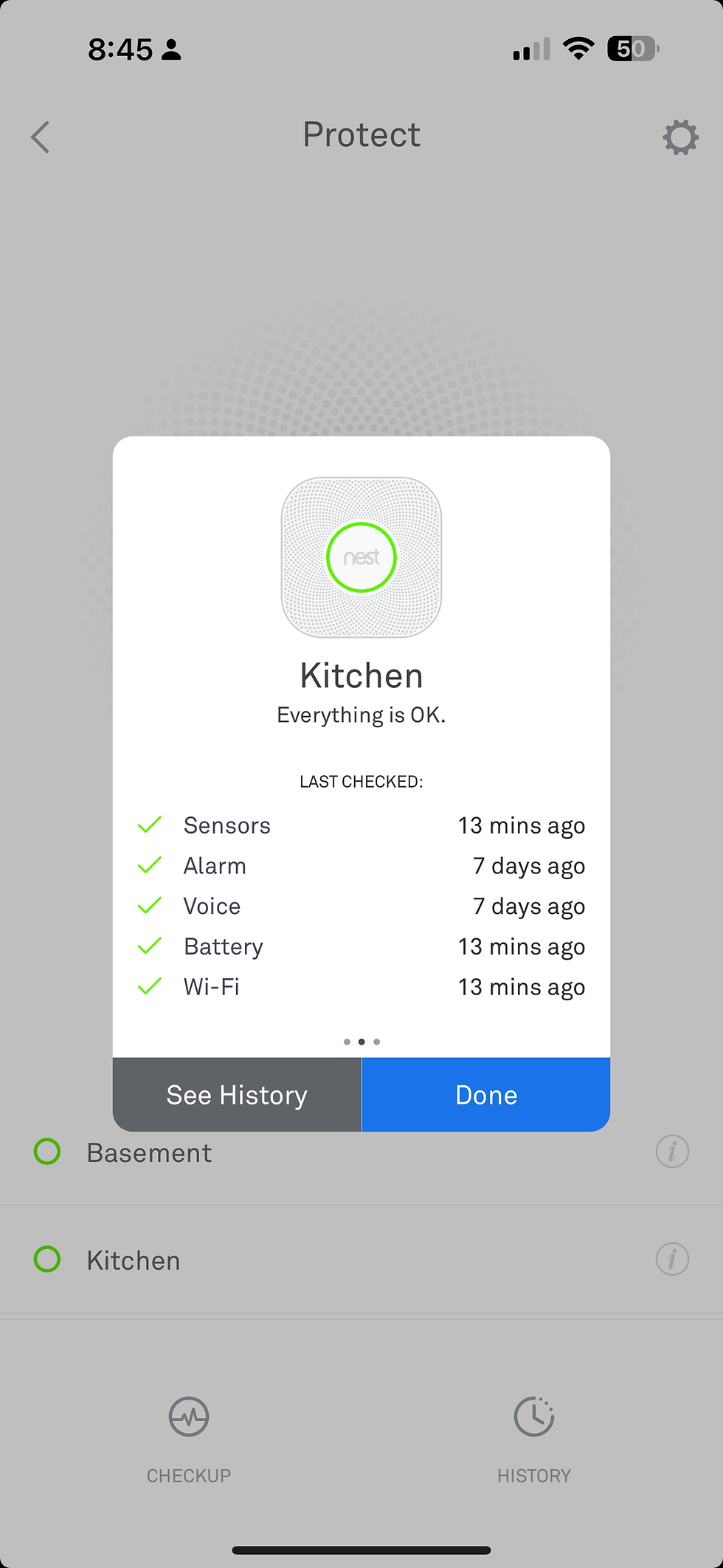
Above that, we have a Nest Smoke & CO monitor and alarm. We have one of these on each floor. There’s nothing too crazy about these other than they do smoke and carbon monoxide detection in one unit. Plus, it has a nightlight on it. If you’re walking around at night it will light the way for you. It runs a monthly test too and even does an audio test so you know it's still working.
From the Nest app, you can see that it’s detecting everything to be OK.
Nest Speakers
Beyond that, we have a slew of other Nest speakers around the house. In our bonus room, we have a Nest Mini, as well as in our son’s bedroom, and the workout room in the basement.
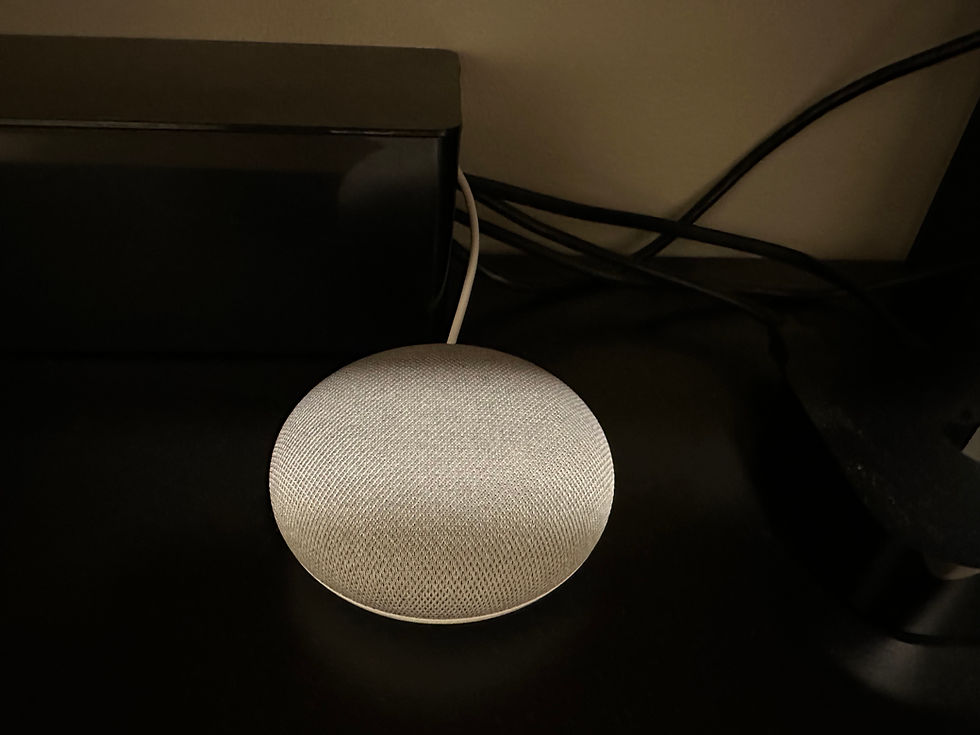
In the master bedroom, we have a Nest Hub display. In the bedrooms, we use Hue lights which of course link up with Google so you can say “Hey G, turn off the lights”. Could I get out of bed and turn the lights off? Yeah! Do I want to? No!

So as you can see we have Nest displays or speakers in most places in the house. I think that’s kind of key if you want to use voice as your interface with your smart home. Think about how you want to interact with your system. Do you want to grab your phone every time you want it to do something? Probably not! The Nest Minis in particular are relatively cheap so it’s not too much of an investment to pick up a bunch of them and place them all around your house.
Nest Wifi
We’re not quite done with the Google hardware because I also have Nest Wifi. Not only do these wifi points pump out pretty good mesh wifi, but they also serve as a Google Assistant. So I’ve got this thing in our office which is technically a spare bedroom that’s been somewhat converted. I made a video on Nest Wifi as well if you want to learn more about it.

Google Home App
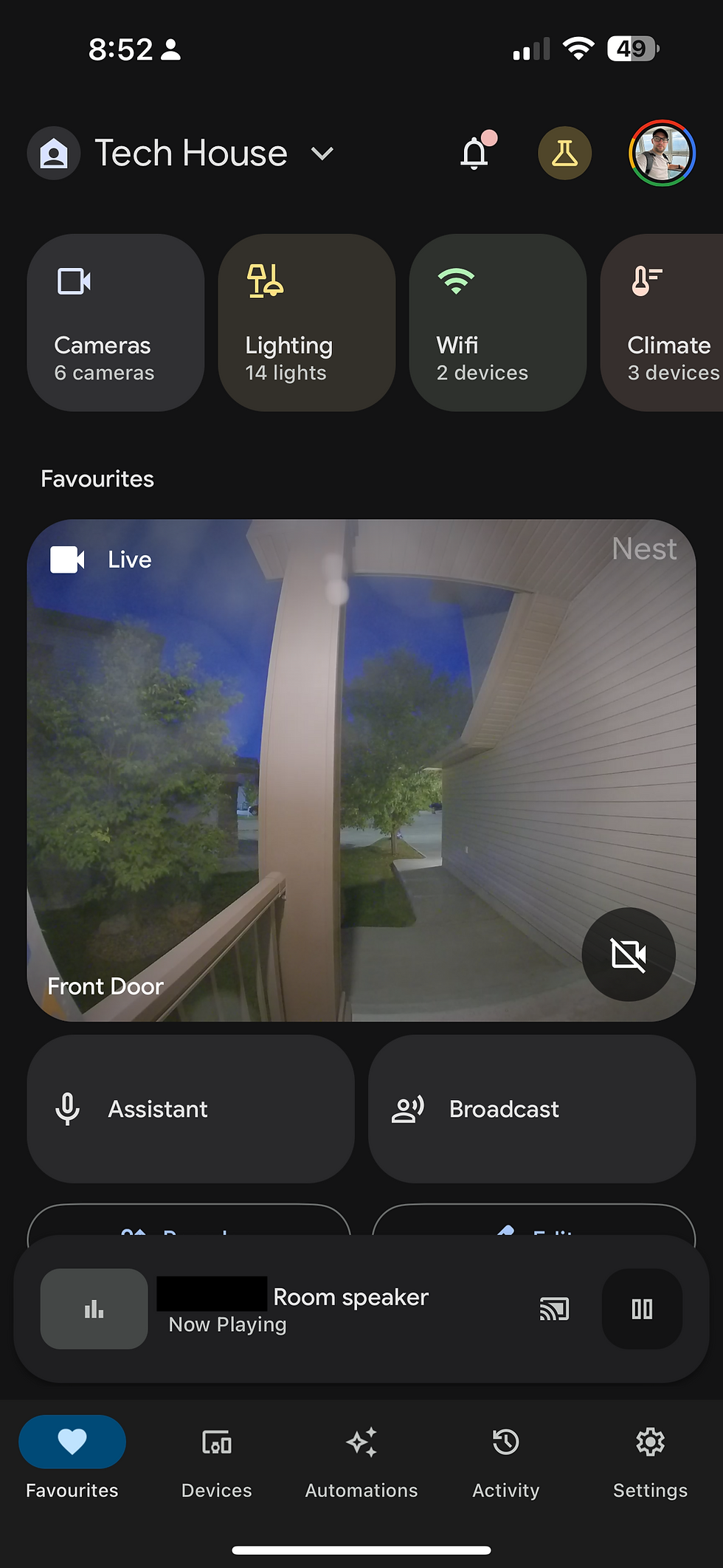
And all this is (mostly) brought together by the Google Home App. All the Google products, minus the smoke detectors which are accessible in the Nest app, plug into the Google Home app. Most third-party systems integrate as well, which allows you to use Google to control your lights, locks, irrigation systems, or anything else you can think of. As long as you’re buying products that have the “Works with Google Home” certification you should be able to make it work.
From the Home app, you can use quick actions to control your lights around the house, if you have smart lights.

If you have music or media playing anywhere you can control that too. You can also get the music to play on multiple speakers around the house for a full home audio experience. This is no Sonos but it's still pretty cool.

I can control my thermostat from here or even view the Nest cameras.
And then you can also browse by room to view all the devices in each area. Things like lights, TVs, displays, speakers, and everything else.

Routines
One of the great features of the app is routines. You can set up custom routines that string together different automation.
So for example I have a bedtime routine. If I say “Goodnight”, you can see the actions here are to turn off a bunch of lights and play sleep sounds.
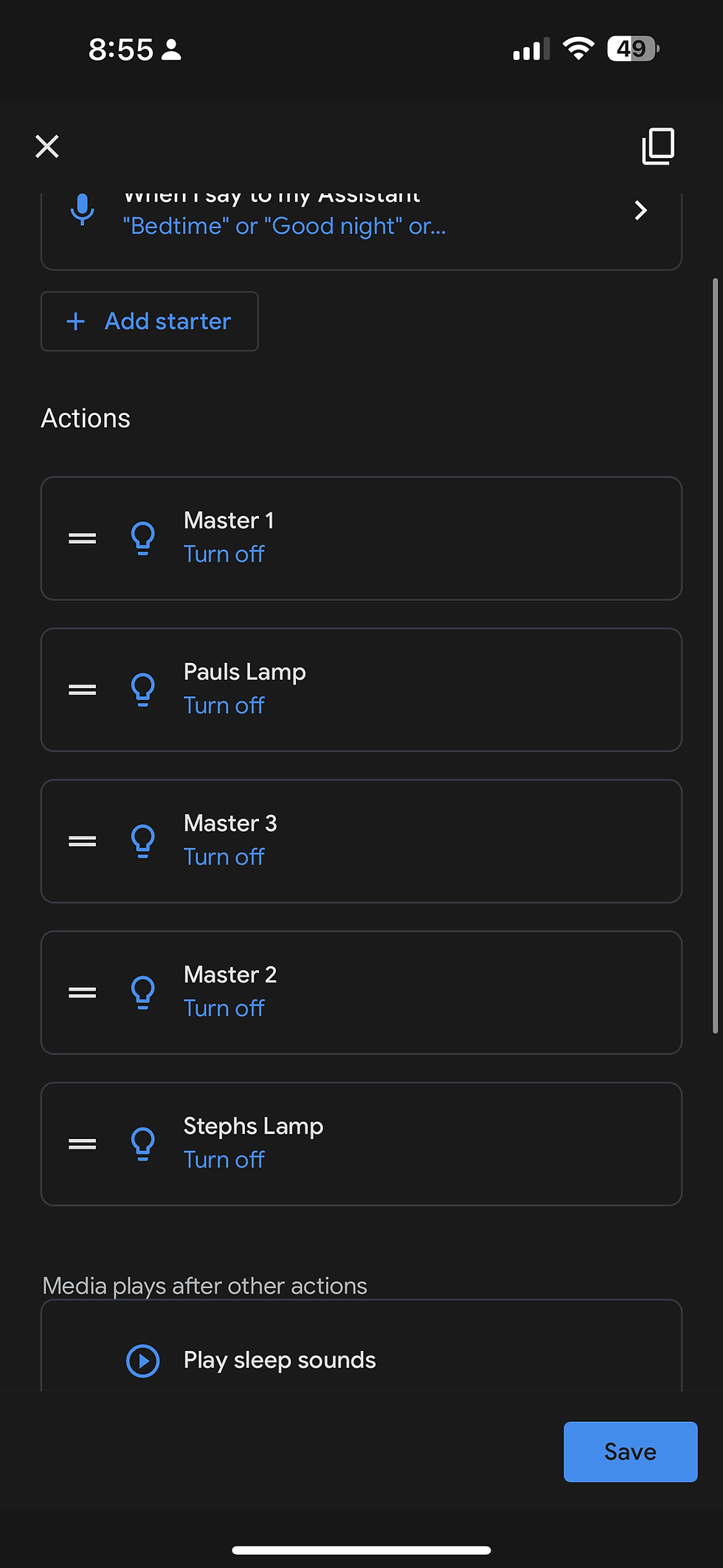
I’ve got another routine for “Good Morning”, where the display or speaker will adjust the volume and tell me a bunch of things like the weather, my calendar for the day, and reminders, as well as give me the top stories from the news.

Conclusion
So you can see, Google’s got a pretty good smart home system. As much as you may know I’m an Apple fan, I think Google’s smart home system is a bit more accessible overall, and honestly, it works well. I haven’t had too many issues since I started building my Google smart home. Now I’m busy thinking about what else I should add to my Google smart home!


Comments